Home / First trade / Three things to set up on day one
Three things to set up the day your account opens
None of these are difficult. What makes them fail is being postponed and then never done. Their real value is replacing judgement with mechanism.
- Two-factor, with an authenticator app rather than SMSStops a leaked password from being enough on its own.
- An anti-phishing codeLets you tell a genuine platform email at a glance.
- A withdrawal address whitelistThe last gate: even a compromised account cannot move funds out.
Under ten minutes for all three. Below is how each one works, why it is set that way, and the parts people get wrong.
One: two-factor authentication
Two-factor means a password is not enough; you also supply something else. That something can be an SMS code or a one-time number generated by an authenticator app. This ordering is not a crypto opinion — CISA’s plain-language guide to turning on MFA puts app-based codes ahead of SMS for the same reason (checked 2026-09).
Choose the authenticator app. SMS has a known weakness: various techniques can move your number to someone else, and the messages go with it. Codes generated in an app are computed locally on your device and never travel over a network, which removes that attack path entirely.
Three things to get right during setup
- Write the recovery key on paper — during setup you are shown a string or a QR code. That is the only way to rebuild the authenticator. Lose the phone, change devices, and it is what saves you. Do not just screenshot it into your photo library.
- Add it on a second device if you can — a tablet or an old phone. A single point of failure is expensive here.
- Do not store the recovery key with the password — stored together, two-factor collapses back into one factor.
Your email account needs two-factor as well. Email is the recovery route for everything else, and once it falls, every other protection can be walked around. It is more fundamental than the exchange settings, so do it before them.
Two: the anti-phishing code
The best value-for-effort setting I know of, and not widely known.
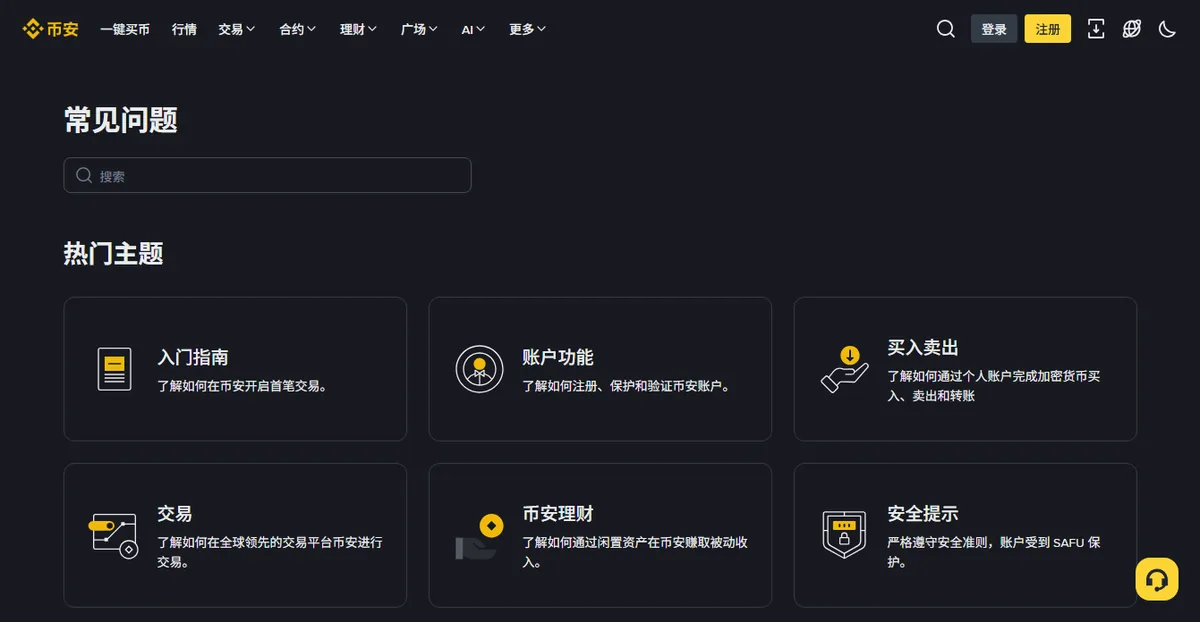
You define a string — a word, a short phrase — in account security settings. From then on, every genuine email the platform sends includes it in the subject or body. Where these settings live, and what they are currently called, is best taken from the platform itself — Binance keeps it in its official help centre (checked 2026-09; names shift after redesigns, so search by keyword).
The benefit is direct: a fake email does not know the string. So an "official email" arriving without your code needs no analysis of sender domains or link targets. You already know.
When setting it
- Do not use your name, your birthday, or part of a password you use.
- Do not make it too short; four characters or more.
- Afterwards, trigger a test email (a login notification will do) and confirm it really appears.
Three: the withdrawal address whitelist
The last gate, and the only setting that still holds when everything in front of it has failed.
With it on, your account can only send to addresses added in advance. Adding a new one typically requires several verifications and a cooling-off period before it takes effect.
An attacker holding your password and a code still cannot move funds to their own address within that window — and that window is enough time for you to notice and respond.
Which addresses to add
At the start, usually two or three:
- Your own self-custody wallet address, if you have one.
- Your deposit address at another platform, if you genuinely move between them.
- That is all.
Record the chain alongside each one — the same address on a different chain is a separate entry. Give each a label you will still understand in six months, rather than facing a wall of character strings.
The inconvenience, and why it is worth it
Honestly, it does introduce friction: when you suddenly need to send somewhere new, you wait.
I think that friction is entirely worth it. Day to day there are only a handful of destinations — your own wallet, a deposit address somewhere else — added once and then forgotten. Situations genuinely requiring an urgent transfer to a brand-new address are rare, and are exactly the situations a scam constructs to make you hurry. That inconvenience is the protection working.
What order to do these in
If you only have time for one, use this order:
- Two-factor on your emailThe foundation. If email falls, everything downstream can be bypassed.
- Two-factor on the exchangeAuthenticator app, recovery key on paper.
- The withdrawal whitelistThe only setting that holds after the others fail.
- The anti-phishing codeCheapest of all, two minutes.
- The restDevice management, login alerts, API check.
The whitelist comes before the anti-phishing code because one blocks actual losses and the other blocks the chance of being deceived. Do both — but if today allows only one, choose the one that physically stops money leaving.
Worth doing while you are in there
- Device management — periodically review logged-in devices and remove ones you do not recognise or no longer use.
- Login alerts — turn on new-device notifications so anything unusual reaches you immediately.
- API keys — if you are not running automated trading, confirm this list is empty. An unused API key is pure exposure.
- Browser extensions — fewer is better. A malicious extension reads everything on your page, including pages you consider safe.
- Two-factor on your email — saying it again, because it is the foundation.
Another five minutes for those. Less critical than the first three, but each removes another available path.
And the password itself
All of the above assumes nobody has your password. In practice, a leaked password is the most common starting point. CISA’s three rules for passwords are easy to hold in your head: long, random, and different on every site (checked 2026-09).
The route is rarely "someone guessed it". It is that another site leaked, and you used the same password there. Attackers take email and password pairs from some forum breach and try them everywhere. It is called credential stuffing, it costs almost nothing to run, and it works often enough.
- Use a password manager — a random password per site, one master password to remember. The highest return of any security advice available.
- If not, at least isolate these — email, exchange, bank. Never shared with anything else.
- Do not use a base password plus the site name — once the pattern is visible, everything falls at once.
- Check periodically whether your email appears in known breaches — several public services do this.
A password manager can look like a nuisance, but in daily use it is less work, not more: no recalling passwords, and autofill is faster than typing. The real effort is the one-time migration.
Why these beat "being careful"
Because they do not depend on your state at the time.
"Being careful" works when you are rested and unhurried. Scams are designed to operate when you are rushed, tired, or being pushed. A whitelist cooling-off period does not care how urgent it feels — it waits. An anti-phishing code does not care how tired you are — it is either there or it is not. Replacing judgement with mechanism is the whole point of this article.
The recognition side is in the three checks. If you have not opened an account yet, all three settings can be done in the matching sections of the complete sign-up guide.
What if the phone is lost
The most overlooked scenario, because people configure these thinking about keeping others out, not about being locked out themselves.
A phone usually holds two critical things: the authenticator app, and the number that receives SMS codes. Losing both at once makes recovery painful.
Prepare in advance
- Recovery key on paper — the only way to rebuild the authenticator on a new device.
- The same authenticator added on a second device — kept somewhere other than with the phone.
- Know which email the account is tied to — recovery flows nearly always start there.
If it actually happens
- Log in on a computer and freeze the accountMost platforms have an emergency lock. Use it first.
- Replace the phone numberIt is part of many recovery flows.
- Rebuild the authenticator from the recovery keyWithout it you are into the platform's manual recovery process, which needs identity documents and takes longer.
- Change everythingPassword, two-factor, and check whether the whitelist or device list was altered.
The critical line remains: write the recovery key on paper. Thirty seconds now, several days saved later.
If something goes wrong anyway
An unfamiliar login, a balance change you did not make, or a stream of verification codes you never requested — all count as warning signs.
- Freeze the account firstMost platforms have a one-tap lock. Stopping the loss outranks understanding the cause.
- Change the password and reset two-factorOn a device you are confident is clean. If in doubt, use a different one.
- Check the whitelist and API keysLook for unfamiliar withdrawal addresses and unfamiliar API entries. Those are the two places attackers leave a way back in.
- Sign out every other deviceLeave only the one in your hand.
- Change the email passwordIf the mailbox may be affected, this is more urgent than anything else.
- Open an official ticketState the time, what you saw, and what you have already done. Do not post the details in a public group.
Keep that order. Stop the bleeding, then investigate, then find the cause. Doing it backwards is the expensive version — two hours spent working out how the intrusion happened, by which time the money has finished leaving.